Hardware Overview
The Aquarea Home Network Hub is a compact gateway designed for indoor installation.
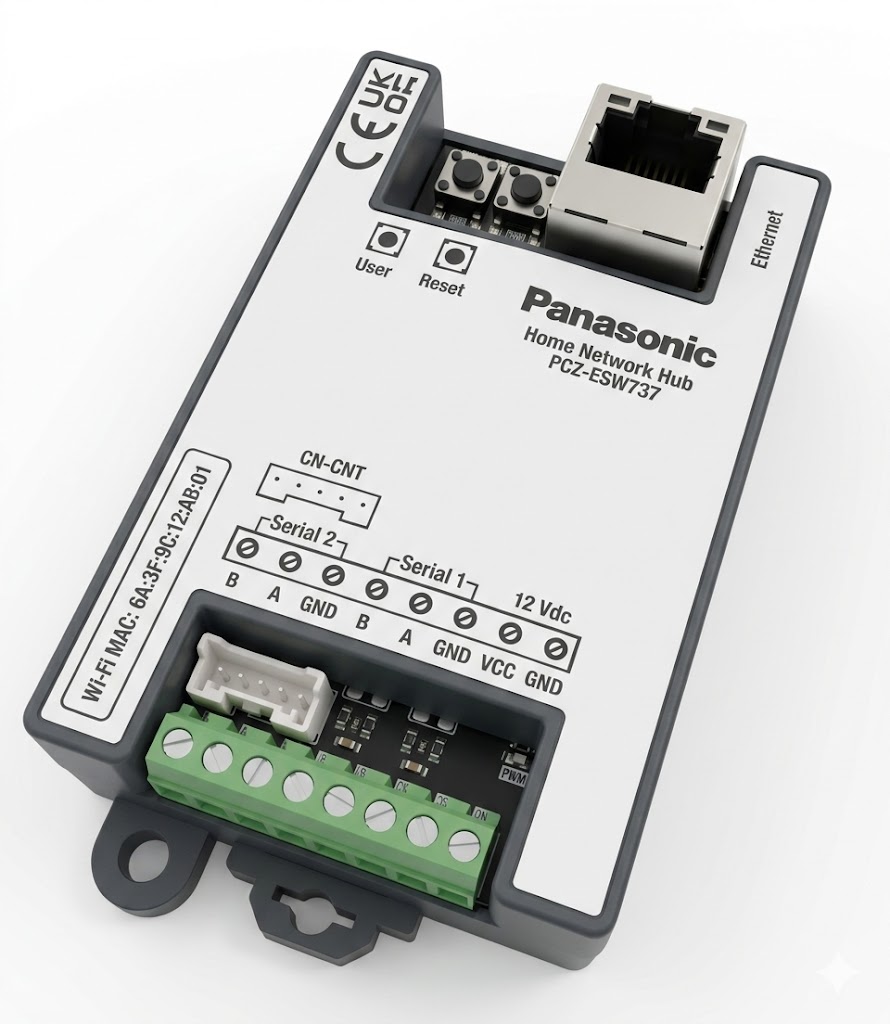
Ports and Terminals
| Component | Description |
|---|---|
| Ethernet | RJ-45 port for wired network connection |
| CN-CNT | Dedicated connector for Panasonic Aquarea heat pump |
| Serial 1 | RS-485 Modbus bus (terminals: B, A, GND) |
| Serial 2 | RS-485 Modbus bus (terminals: B, A, GND) |
| 12 Vdc | Power input (terminals: VCC, GND) |
| User button | User-triggered actions |
| Reset button | System reset |
Mounting Options
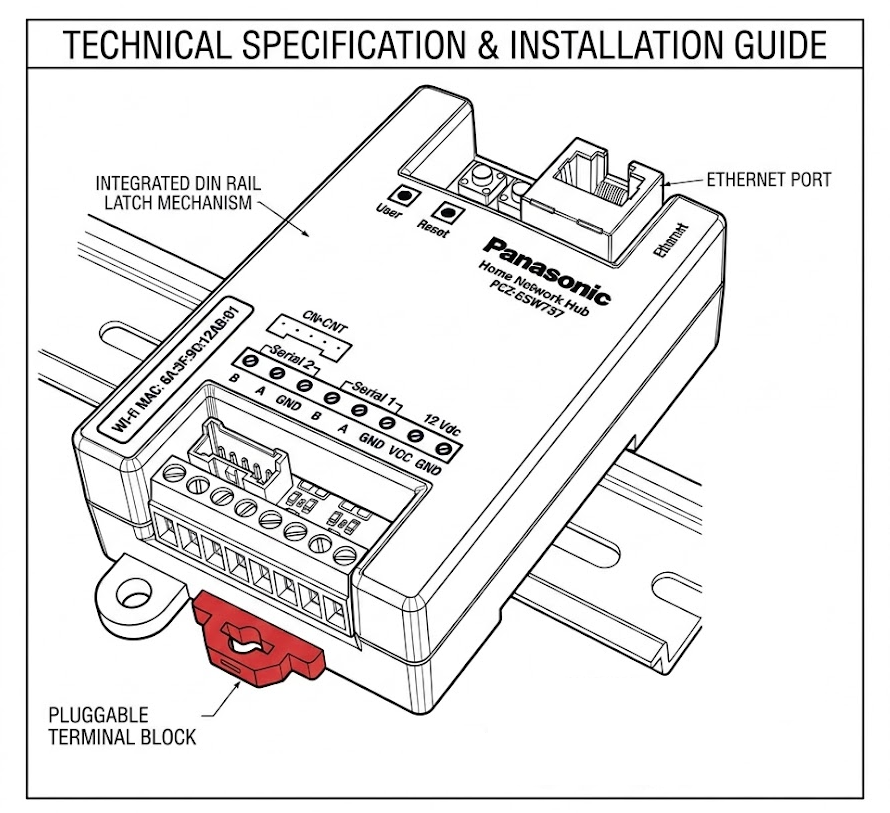
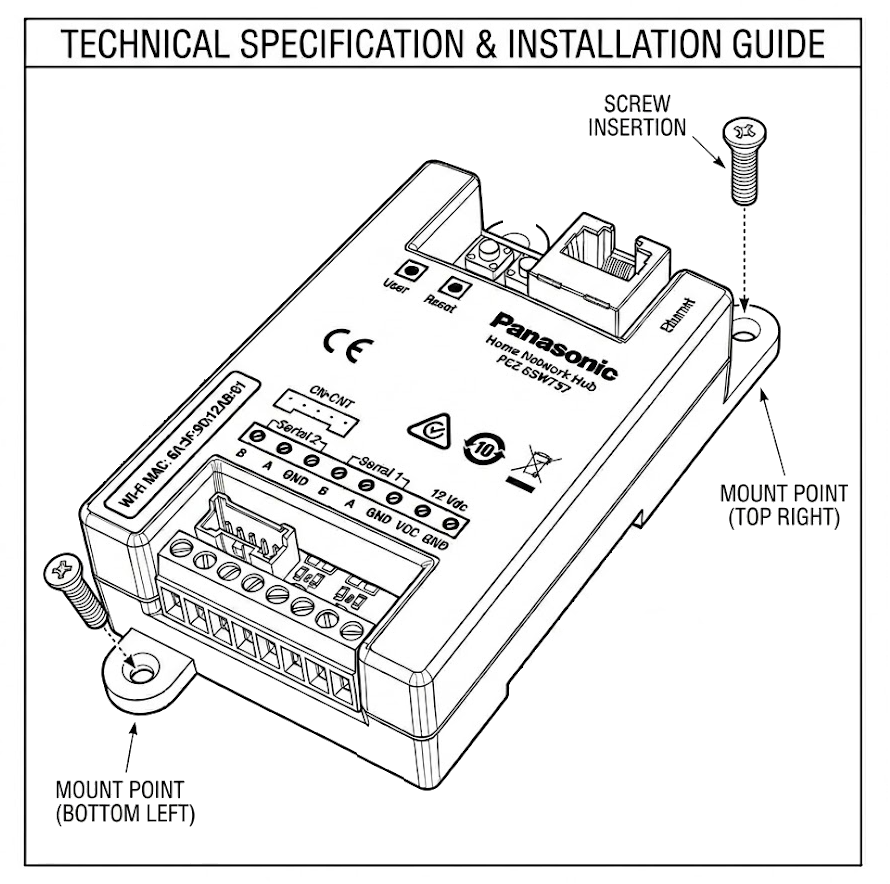
The Network Hub can be installed in two ways:
- On a DIN rail (35 mm)
- With screws
LED Indicators
Status LEDs on the lower edge of the device indicate power, network, and communication status.
| Color | State | Meaning |
|---|---|---|
| 🟣 Purple | Blinking | Device not configured, Bluetooth off |
| 🔵 Blue | Blinking | Bluetooth on, waiting for connection |
| 🔵 Blue | Solid | Bluetooth on, connection established |
| 🟢 Green | Blinking | Successful operation |
| 🔴 Red | Blinking | Error (no internet, cloud connection failure, etc.) |