Scanning & Configuring Devices
Once the Network Hub is online, the app guides you through discovering and configuring all connected devices.
Home Settings
From the home screen, tap the settings icon to access home settings, where you can manage rooms, people, and the connected Network Hub.
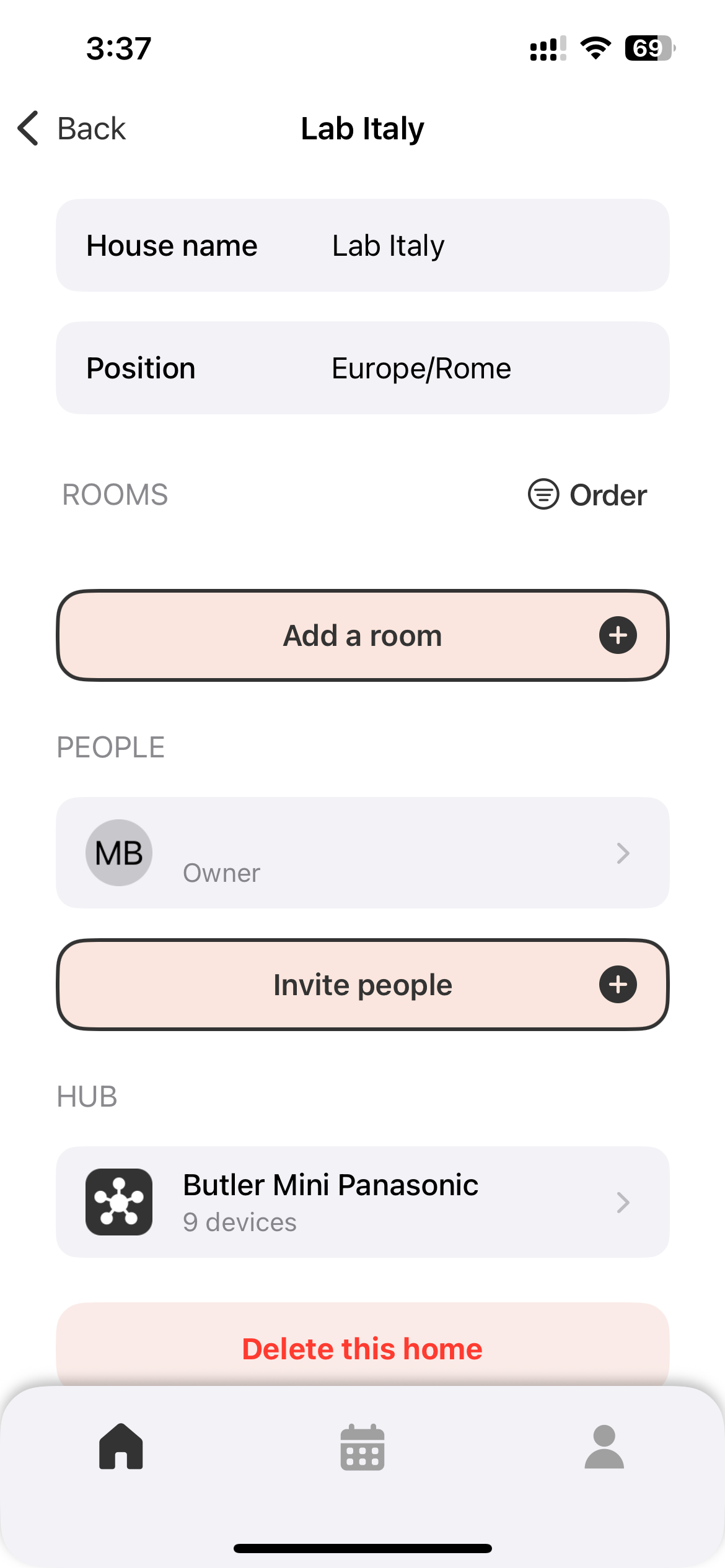
Tap the Network Hub icon to go to the device discovery page.
Start a Scan
- From the Network Hub configuration screen, tap Start scan.
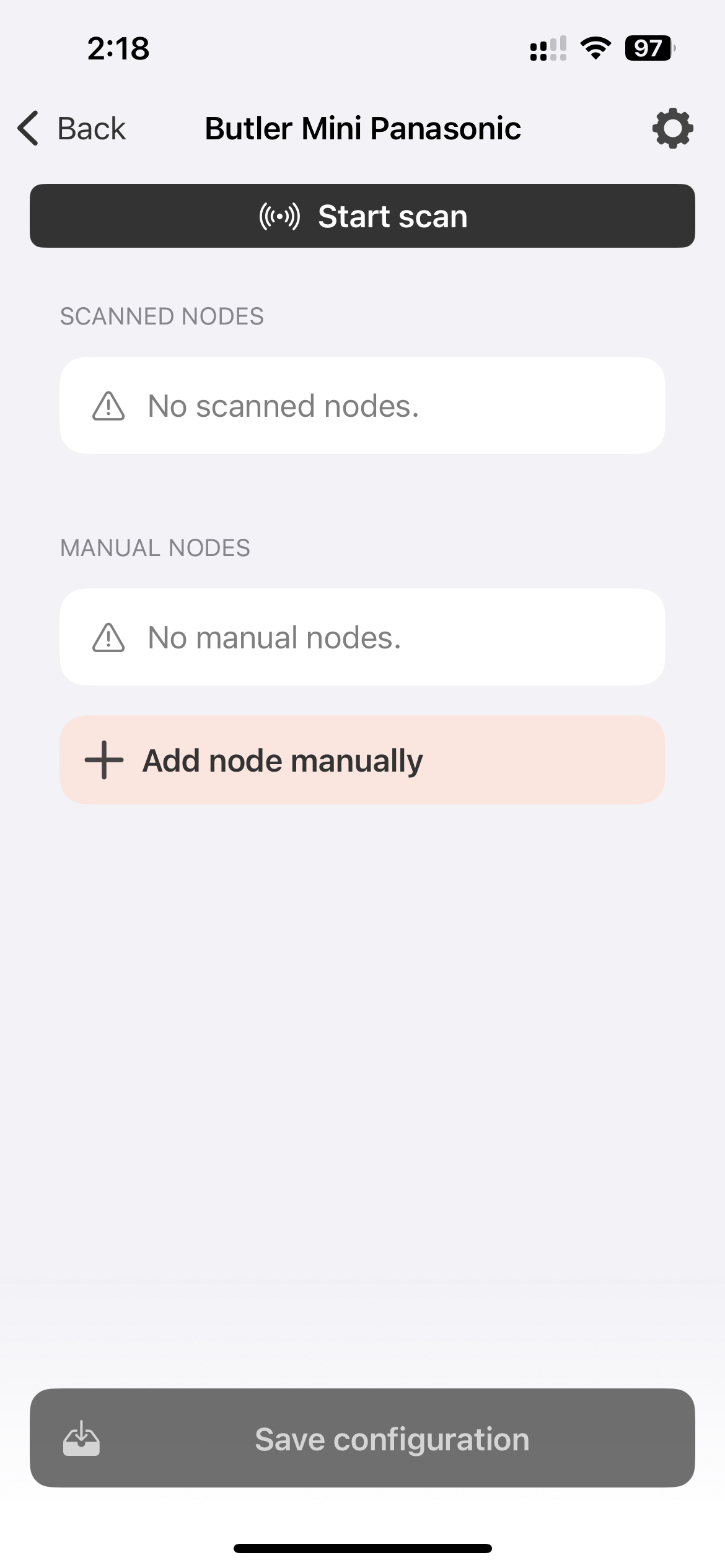
- The hub scans both serial buses (Serial 1 and Serial 2) and the CN-CNT port.
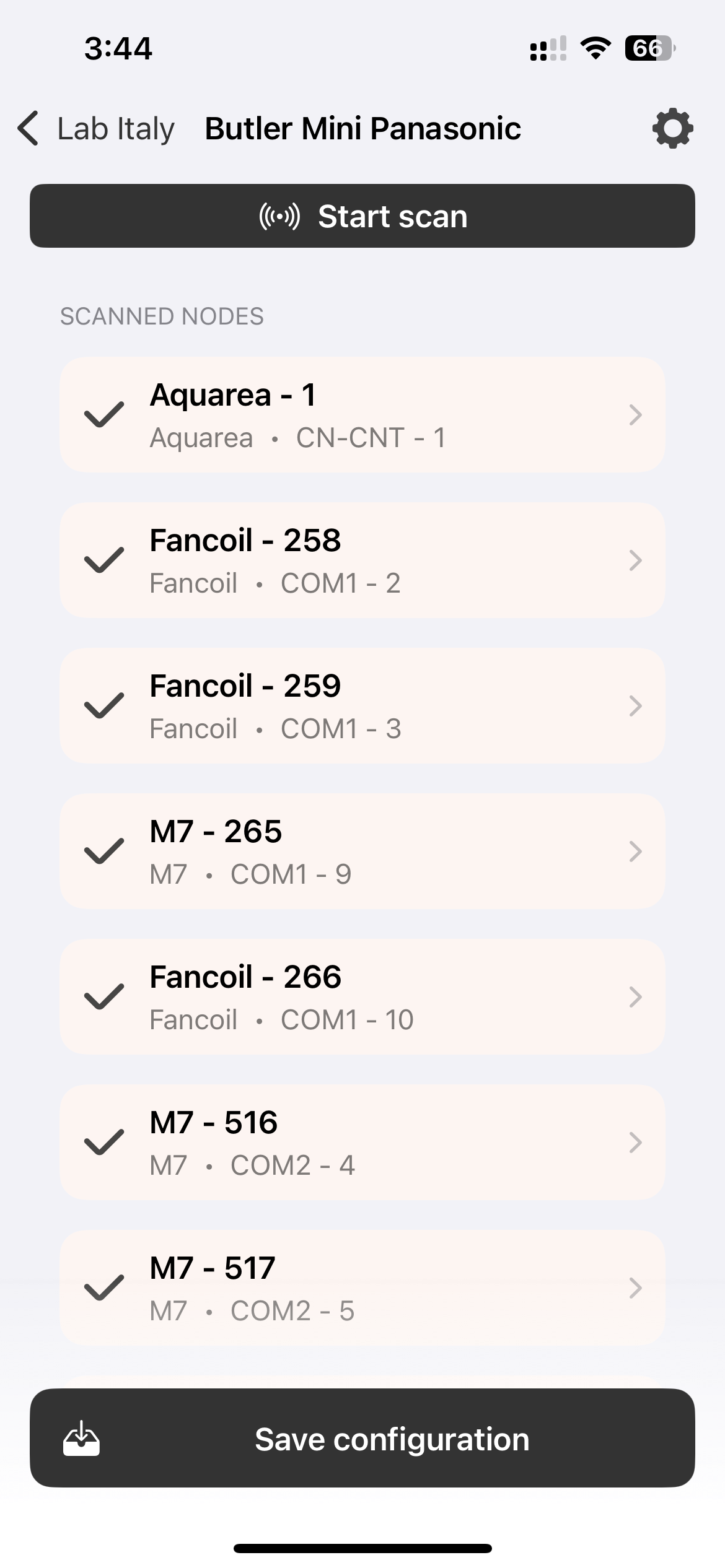
- All discovered devices appear under Scanned Nodes.
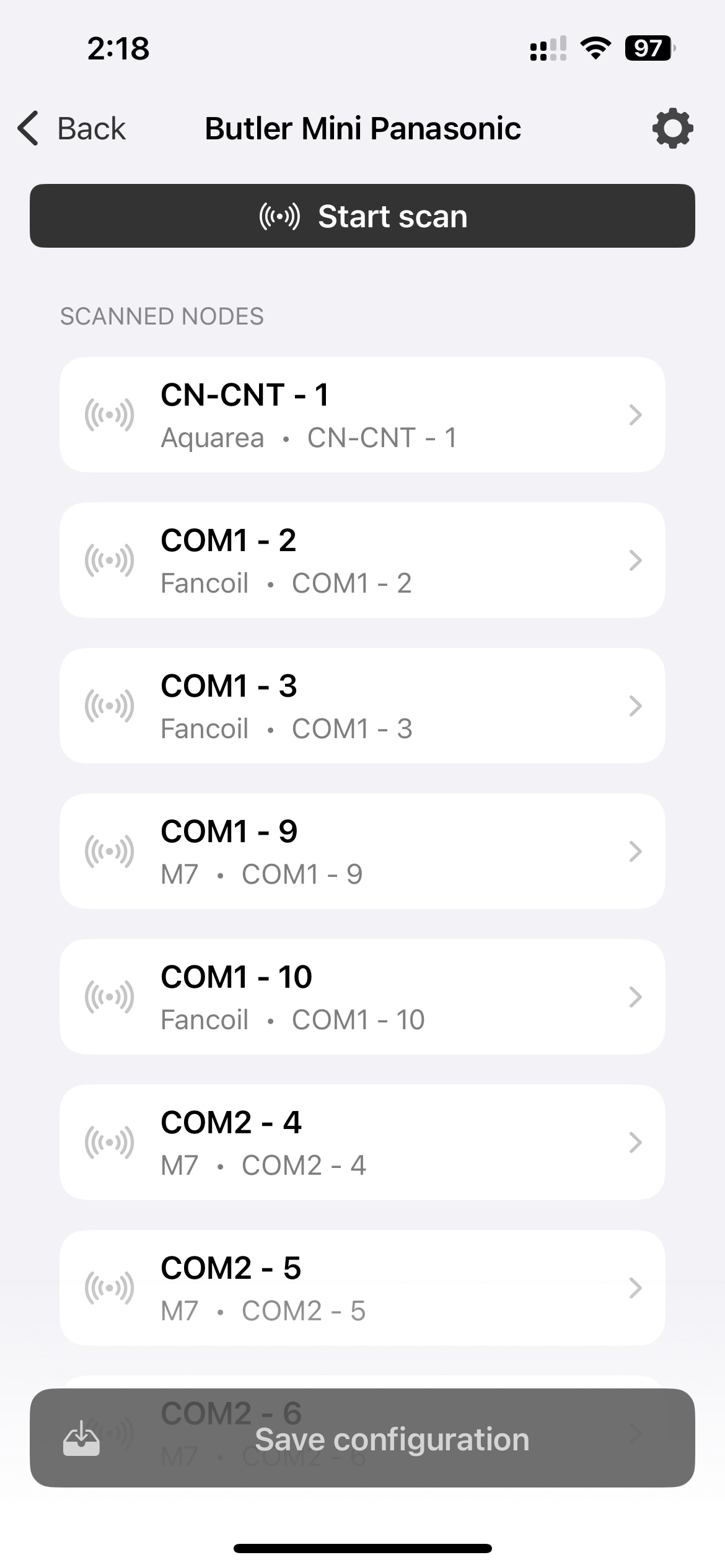
Example scan results:
| Device | Type | Port |
|---|---|---|
| CN-CNT - 1 | Aquarea | CN-CNT |
| COM1 - 2 | Fancoil | Serial 1, address 2 |
| COM1 - 3 | Fancoil | Serial 1, address 3 |
| COM2 - 4 | Thermostat | Serial 2, address 4 |
Configure Each Device
Tap on any discovered node to open the Configure node panel:
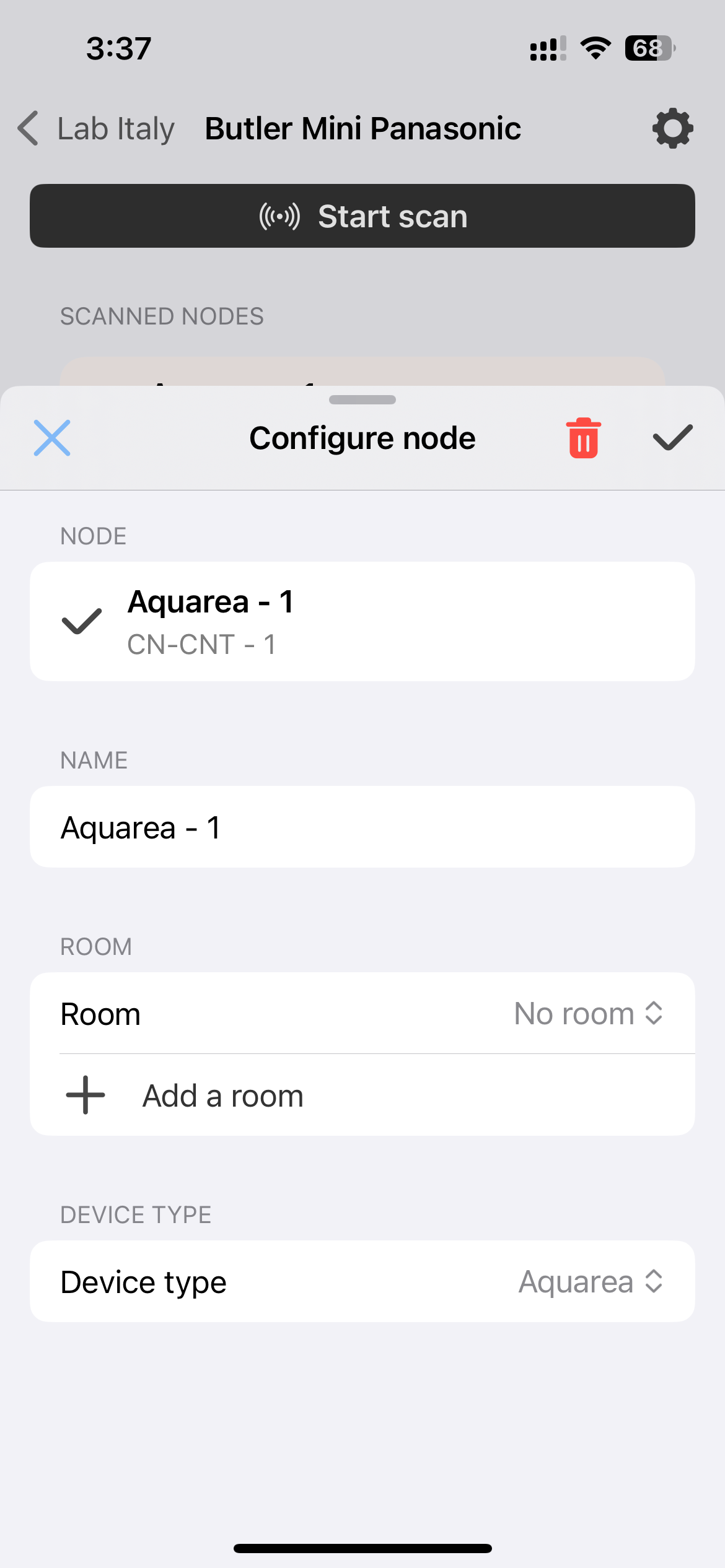
- Name — assign a friendly name (e.g., “Living Room Fancoil”).
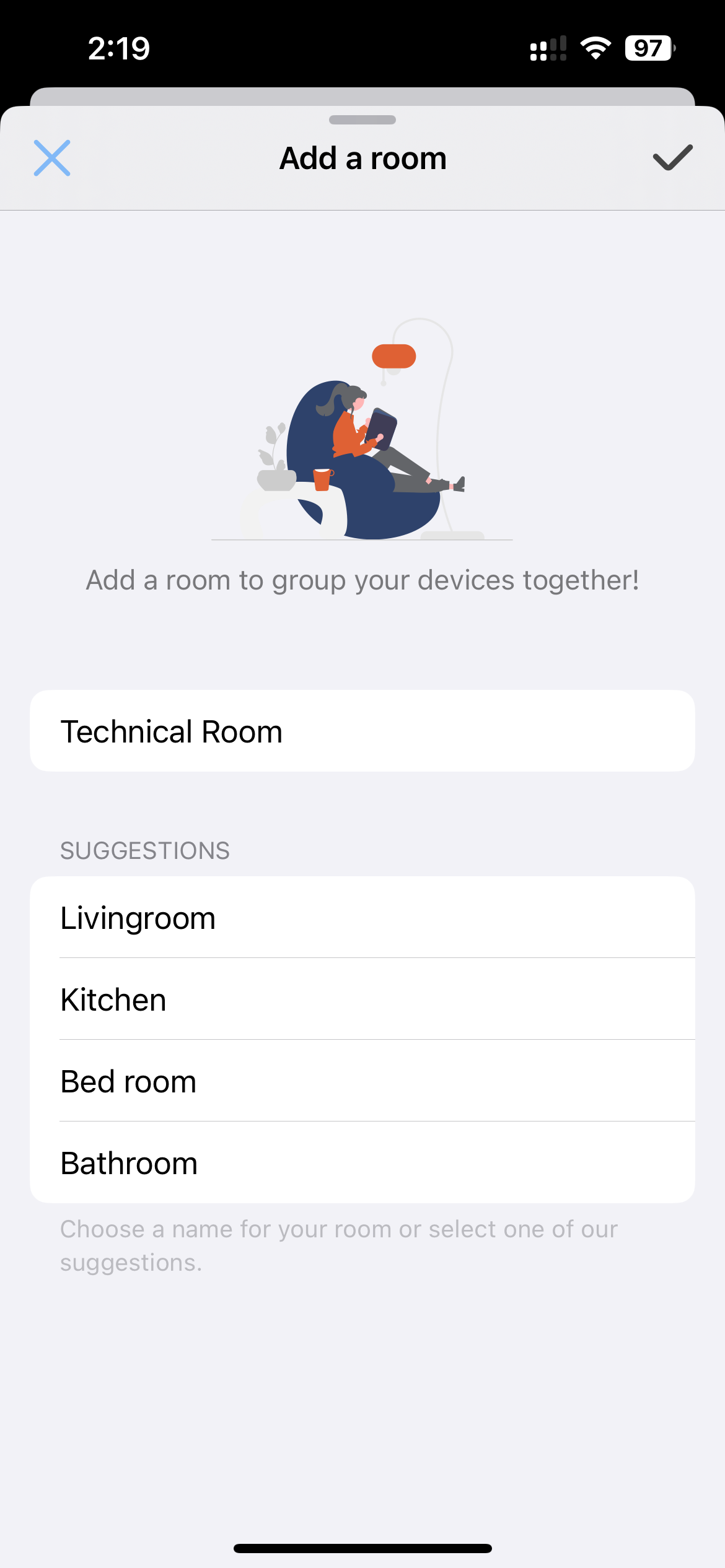
- Room — assign the device to a room, or create a new one.
- Device type — confirm or change the type (Aquarea, Fancoil, Thermostat, etc.).
- Tap the checkmark to save.
Repeat for all discovered devices.
Create and Assign Rooms
Organize your devices into rooms for easier management.
Add Devices Manually
If a device is not automatically discovered, or you add a device later:
- Scroll to Manual Nodes and tap + Add node manually.
- Specify the serial port (COM1 or COM2), Modbus address, device type, and name.
- Save the configuration.
Save Configuration
Once all devices are configured, tap Save configuration at the bottom of the screen. The Network Hub will apply the settings and begin communicating with all configured devices.
Verify the Installation
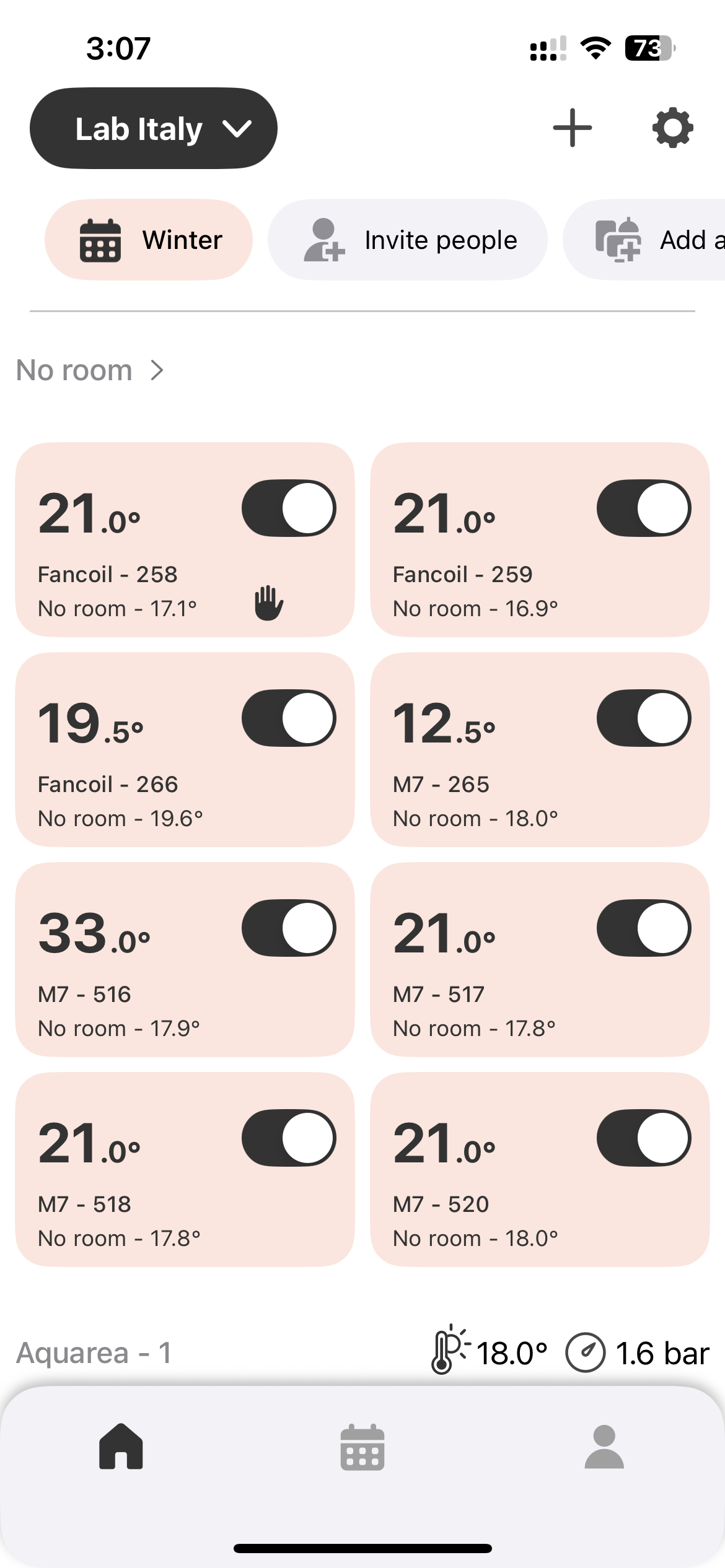
- Return to the Home screen. All configured devices should appear, organized by room.
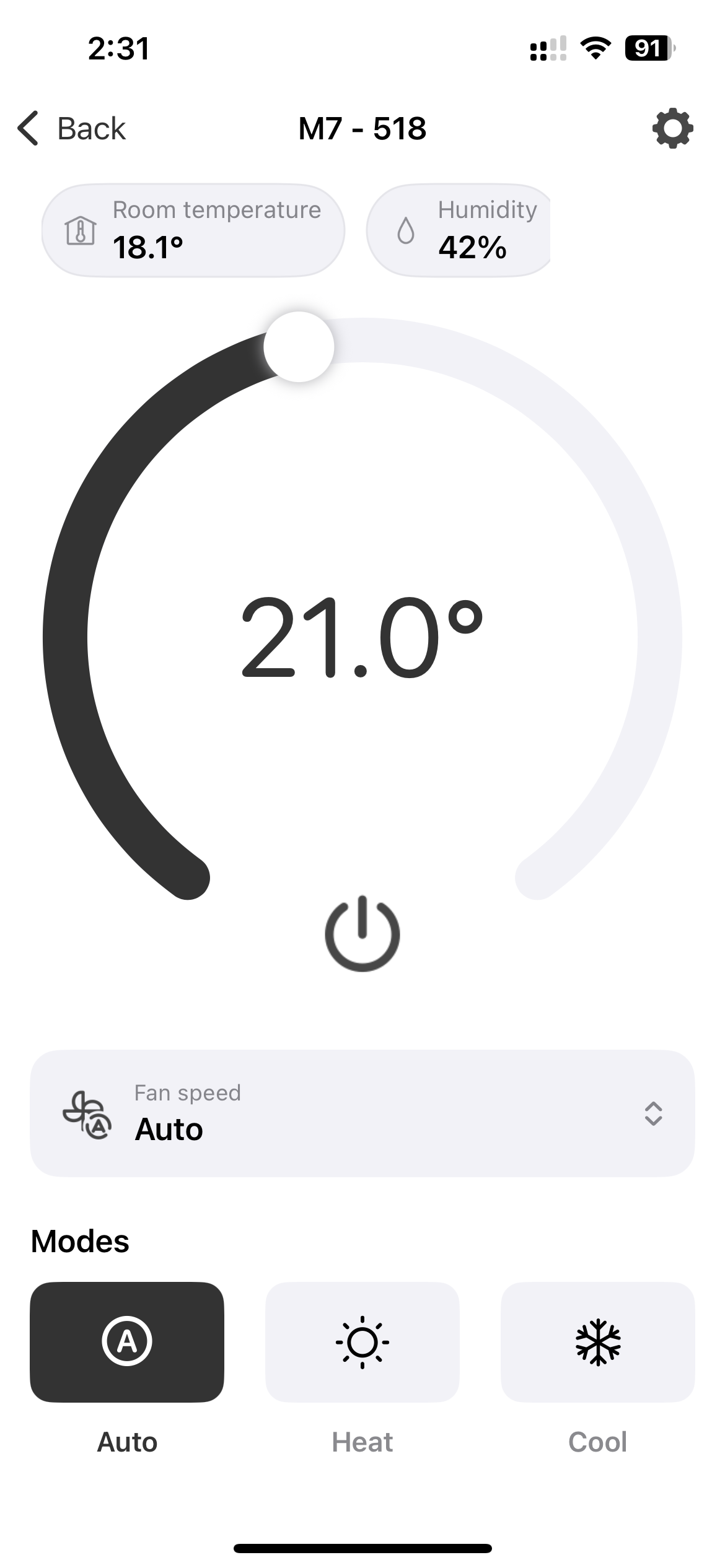
- Tap any device to view its current status.
Network Hub Device Info
Check the Network Hub status at any time from its device settings screen:
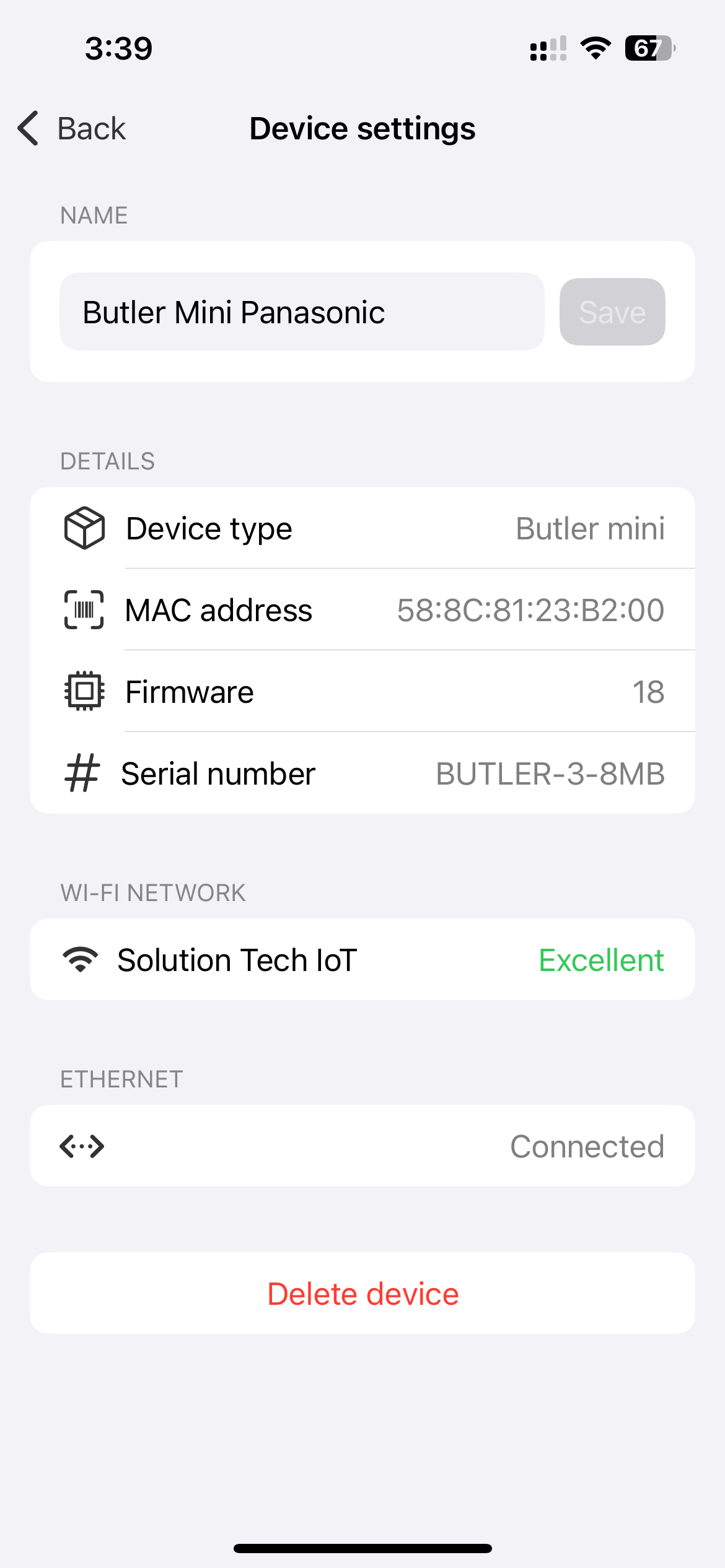
| Field | Description |
|---|---|
| Device type | Aquarea Home Network Hub |
| MAC address | Unique hardware identifier |
| Firmware | Current firmware version |
| Serial number | Device serial number |
| Wi-Fi network | Connected network and signal quality |
| Ethernet | Connection status |